A Modern Guide to Translate Audio to Text

Translating audio to text is no longer a luxury. It is a core skill for capturing spoken information. Valuable content is locked in meetings, interviews, and podcasts. Modern AI tools make it practical to turn that talk into searchable, shareable, and usable text.
Why Translate Audio to Text?
Your time is your most valuable asset. Manual transcription is slow, expensive, and prone to error. Every minute spent rewinding a recording is a minute lost on high-value work. Automated transcription frees up your time and unlocks the true value of your audio files.
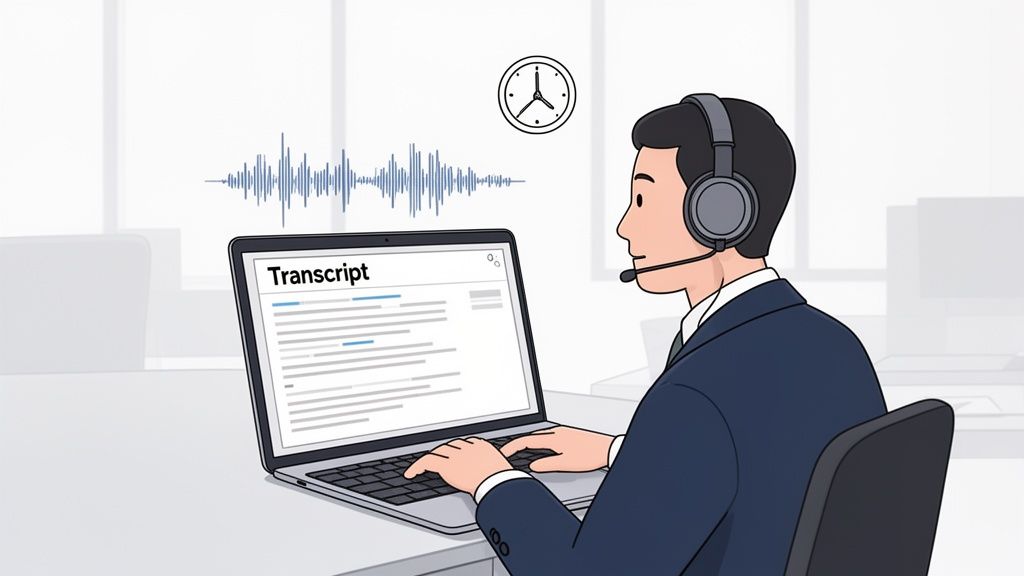
This is about more than saving time. When audio becomes text, it becomes a searchable knowledge base. You can access it on demand.
Real-World Wins from Transcription
Turning speech into a written record delivers significant advantages. These benefits can genuinely improve how you work.
- Make Content Accessible: Transcripts open your audio to a wider audience, including people who are deaf or hard of hearing. They also help non-native speakers follow along.
- Boost Your SEO: Transcripts are SEO gold for content like podcasts. Search engines cannot listen to audio, but they can crawl text. This makes your content easier to find.
- Extract Actionable Insights: Critical information is often buried in recordings. Transcripts let you pinpoint action items, key decisions, and customer feedback without re-listening.
The bottom line: Converting audio to text turns passive information into an active asset. It documents, searches, and repurposes valuable conversations with minimal manual effort.
Tools like PodBrief push this further. They don't just transcribe; they summarize. You get key takeaways from long recordings instantly. This guide provides a practical workflow for high-accuracy results.
Choosing Your Audio-to-Text Toolkit
The right tools are critical. Your choice to translate audio to text dictates accuracy and the time you spend on cleanup. The market is crowded, but most tools fall into three categories. Understanding them is key to a wise investment.
You need a solution that fits your business needs. Don't just pick the one with the flashiest reviews.
Understanding Your Options
Each tool type is built for a different job. They range from one-off transcriptions to fully integrated, automated workflows.
- Standalone Transcription Services: These are straightforward, no-frills options. You upload an audio file and get a text file back. They are perfect for simple, infrequent tasks.
- All-in-One Platforms: These are media Swiss Army knives. Transcription is one feature among many, like video editing or team collaboration. They suit marketing teams or content creators.
- API-Based Solutions: This is for businesses needing to integrate transcription into their own systems. Developers can build it into proprietary software, offering maximum control and flexibility.
The global AI transcription market is growing rapidly. It is projected to jump from $4.5 billion to $19.2 billion. This reflects a major shift in how businesses handle audio content.
Feature Comparison of Audio-to-Text Solutions
This table clarifies how these solutions stack up. Use it to match your needs to the right tool.
| Feature | Standalone Transcription Service | All-in-One Platform | API-Based Solution |
|---|---|---|---|
| Primary Use Case | Quick, one-off tasks | Integrated content workflows | Custom application development |
| Ease of Use | Very high (upload and go) | High (user-friendly interface) | Low (requires developers) |
| Integration | Limited to none | Good (often integrates with other tools) | Excellent (built for integration) |
| Customization | Low (few settings) | Medium (some workflow options) | Very high (fully customizable) |
| Cost Model | Pay-per-minute/hour | Monthly/annual subscription | Usage-based (per API call) |
| Best For | Individuals, small projects | Content teams, marketers | Tech companies, large enterprises |
The right choice depends on your specific goals. A standalone service is perfect for a one-time project. An all-in-one platform makes sense for a team constantly working with audio.
Key Features to Evaluate
A few key features separate great tools from good ones. Focus on these performance markers as you evaluate options. Do not compromise on security.
Here is a quick checklist:
- Accuracy Benchmarks: Look for published accuracy rates, like Word Error Rate (WER), across different languages and audio conditions.
- Speaker Identification (Diarization): This is essential for any audio with multiple speakers. The tool must identify who is speaking and when.
- Industry-Specific Vocabularies: If your audio contains technical jargon, medical terms, or legal phrases, you need a tool that supports custom vocabularies.
- Data Security and Compliance: Vet the provider’s security protocols. Look for end-to-end encryption, clear data privacy policies, and compliance with regulations like GDPR.
Choosing the right tool isn't about finding the "best" one; it's about finding the best for your workflow. For creators, exploring the best AI for podcasters can provide targeted recommendations.
If your goal is pulling insights from podcasts, a service like PodBrief offers a direct route. It bypasses manual steps by delivering AI-generated executive summaries. This approach saves time by focusing on core knowledge, not just raw text.
A High-Accuracy Translation Workflow
Getting an accurate translation from audio requires a process. A structured workflow is essential for precise, usable text without hours of corrections. The process has three phases: preparation, transcription, and refinement.
Your first decision is the right tool. Options fall into three buckets: services, platforms, or APIs.
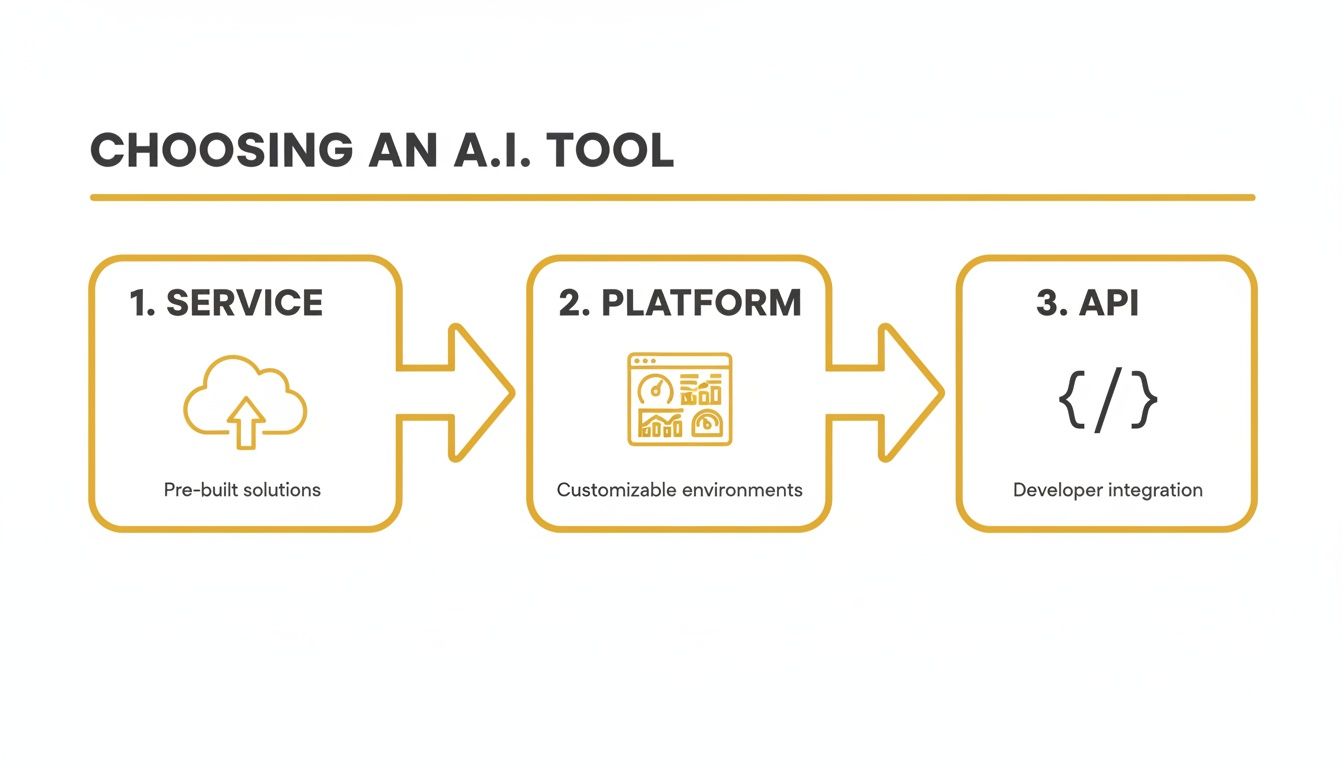
Each path offers a different mix of ease, control, and integration. Your choice depends on your technical comfort and goals.
Pre-Process Audio for Maximum Clarity
Source audio quality is the single biggest factor in transcription accuracy. Garbage in, garbage out. An AI can only work with what it hears. Clean audio is non-negotiable.
Focus on these critical prep steps:
- Kill the Noise: Use an audio editor to filter out background hums, clicks, or traffic. A slight reduction makes a huge difference.
- Go Lossless: Use lossless audio formats like WAV or FLAC. Compressed files like MP3s discard audio data, which causes errors.
- Level the Volume: Normalize the track so every voice is clear and at a similar volume level.
The takeaway is simple: Cleaner audio means less editing time. Uncompressed, clear audio is the fastest route to an accurate transcript.
Run the Transcription with a Smart Setup
Once your audio is clean, run it through your tool. Do not just hit "transcribe." The settings you choose here are crucial for a great first draft. Small tweaks upfront save cleanup work later.
The market for these tools is booming. Valued at $30.42 billion in the U.S., it’s expected to hit $41.93 billion. This growth reflects the move from manual services to AI efficiency. You can learn more about these automated transcription statistics.
Pay close attention to these options:
- Dial in the Language: Select the correct source language and dialect. Choosing "English (UK)" for a Scottish accent can improve results.
- Separate the Speakers: Turn on speaker diarization for multi-speaker audio. This feature automatically tags who is speaking.
- Build a Custom Vocabulary: Add specific jargon, brand names, or acronyms to a custom list. This gives the AI a cheat sheet for tricky words.
Review and Refine
No AI is perfect. The final step is a quick human review. You are not re-transcribing; you are performing a targeted quality check.
Focus on details AIs often miss: names, companies, and technical terms. This ensures the final output captures the nuance of the conversation. For a deeper look, explore our articles on AI transcription.
If you only need key takeaways, a tool like PodBrief automates this workflow. It delivers concise summaries instead of a full transcript.
Automating Your Transcription Process
Efficiency means working smarter, not harder. The goal for repetitive tasks like audio-to-text conversion should be a self-running system. Move past manual uploads and downloads.
Weave the audio-to-text process into your existing software and cloud services. This makes information from audio instantly accessible to your team where they need it. Modern tools make this easy to set up.
No-Code Automation
You don't need a development background to create powerful automations. Platforms like Zapier or Make act like digital glue for your apps. Link your transcription service to your project board, cloud storage, or team chat with a few clicks.
Consider these practical examples:
- A new Zoom interview is automatically transcribed, with the text appearing as a note in your CRM under the client's record.
- A brainstorming session saved to Google Drive instantly triggers a transcription, with a summary posted to your team’s Slack channel.
- A new podcast episode is automatically transcribed, and the text is saved to a shared Notion database for your content team.
This setup turns transcription from a chore into a seamless part of your information pipeline. It ensures spoken knowledge is captured and shared with zero friction.
Full Control with APIs
For custom control and scale, a speech-to-text API is the solution. An API (Application Programming Interface) lets developers build transcription features directly into your company’s software. This unlocks significant power and flexibility.
For example, you could build a tool that transcribes support calls, flags keywords for dissatisfaction, and alerts a manager in real-time. That is proactive business intelligence.
The speech-to-text API market is growing steadily. Businesses need more voice-enabled tools and better accessibility. You can explore more insights on speech-to-text API growth. An API-first approach future-proofs your systems.
Handling Audio Data: Security and Compliance
When turning audio into text, speed and accuracy are top of mind. But if the audio is sensitive—client calls, strategy meetings, HR interviews—you have a security responsibility. Overlooking data protection is a serious business risk.
Your reputation and legal standing depend on how you manage this information. Vet any transcription service on its security practices before choosing.
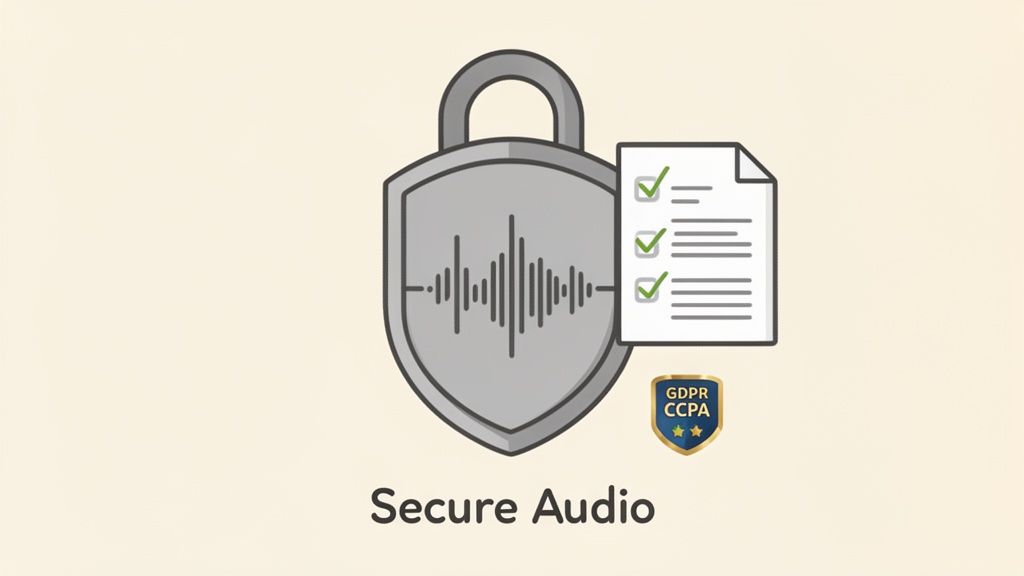
Security Must-Haves
Before signing up, ensure any service meets these non-negotiable security standards. This is the baseline for protecting sensitive data.
- End-to-End Encryption: Your audio and text must be encrypted in transit and at rest. This is fundamental.
- Clear Data Handling Policies: The provider must be transparent about who accesses your data and why. Look for a zero-access policy.
- Compliance Certifications: Look for proof of compliance with data privacy laws like GDPR and CCPA. These certifications show a commitment to data protection.
How to Vet a Service Provider
Do not take marketing claims at face value. Actively confirm security promises by reviewing documentation and asking tough questions. Any reputable provider will be upfront about security.
Start with their Terms of Service and Privacy Policy. These documents detail data ownership, usage rights, and liability. Pay attention to clauses about how they use customer data.
The bottom line: If a provider is vague about security or makes it hard to get answers, that is a massive red flag. Your data is too important to risk.
For public content, like summarizing podcasts, a service like PodBrief is a great option. It processes information securely without requiring you to handle sensitive internal audio, simplifying compliance while providing needed insights.
Get the Insights Without the Effort
Even with the best tools, manual transcription is a time sink. For professionals who just need the core insights from content like podcasts, this is a distraction. There is a more direct way to get what you need.
PodBrief automates this entire workflow. Instead of managing files and settings, you just provide a podcast episode. Our system does the heavy lifting and delivers a concise, executive summary.
You get all critical takeaways delivered in your preferred language. This approach avoids the multi-step slog of transcription, review, and translation. You get the knowledge without the logistical headache.
The Direct Path to Actionable Knowledge
The goal is not just to translate audio to text. It is to make smarter decisions, faster. By focusing on summaries, you cut through the noise and get straight to the insights.
Here is what that looks like:
- Zero Manual Work: Forget downloading episodes, uploading files, or correcting transcripts. Provide a link, and the platform does the rest.
- Actionable Summaries: Instead of a wall of text, you get a structured brief highlighting the most important points.
- Multilingual Output: Get key ideas instantly in Spanish, German, or Japanese.
This approach is perfect for busy decision-makers. To learn more about the technology, see our guide on the modern AI podcast summarizer.
Want to see how much time you could save? Visit our homepage and try PodBrief for free. Turn long-form audio into actionable intelligence, fast.
Common Questions About Audio to Text Translation
Many professionals have the same core questions about this technology. Here are direct answers to help you make an informed decision.
AI vs. Human Translation Accuracy
Is AI as good as a human translator? It depends. For clear, high-quality audio like a keynote speech, modern AI is a powerhouse. It is fast, affordable, and can exceed 95% accuracy.
A human touch excels with nuance. For audio with thick accents, crosstalk, or specialized jargon, an AI can struggle. A human translator navigates that complexity better.
The bottom line: Use AI for speed and scale with clean audio. For high-stakes, complex material, a human expert is often worth the investment.
The Best Audio Format for Accuracy
What is the best file type? Always use a lossless format like WAV or FLAC. These larger files contain 100% of the original audio data. This gives the transcription engine the cleanest possible signal.
Using a compressed format like MP3 is like giving the AI a blurry photo. It works with incomplete information because MP3s discard audio data to reduce file size. The extra file size of a lossless format is a small price for better accuracy.
Handling Multiple Speakers
Can software identify who is talking? Yes. This feature is called speaker diarization. Most good transcription tools have it. The AI listens for unique vocal patterns and tags the text with labels like "Speaker 1" and "Speaker 2."
Effectiveness depends on recording quality. Clear audio and distinct voices produce the best results. The AI might struggle with crosstalk or muffled audio.
For professionals who just need key takeaways from podcasts in another language, the full transcription process can be overkill. A tool like PodBrief delivers a concise, AI-powered summary in your chosen language. Start turning audio into actionable intelligence by trying it for free at PodBrief.


