Your podcast's audio quality is its first impression. Get it right from the start. This guide covers the essential equipment needed for a podcast, ensuring you sound professional, whether you're a beginner or building a studio. We'll help you make smart choices that respect your time and budget.
Why Your Podcast Gear Matters
In a crowded market, clean audio is non-negotiable. Listeners have low tolerance for muffled voices, echo, or background noise. Poor sound quality will cause them to leave.
The podcasting hardware market proves this. It's projected to grow from $3.6 billion to $28.07 billion by 2034. Why? Creators understand that investing in good gear is an investment in their audience. You can review the full market projections and trends to see the data. This guide will walk you through building a setup that delivers professional sound.
Choosing Your Microphone: The Heart of Your Sound
The microphone is the most critical piece of equipment. It directly impacts your credibility and listener retention. It is the first link between your voice and your audience.
With listener expectations at an all-time high, quality matters. Episodes recorded with professional microphones see 30% longer average listen times. Your sound quality is not a feature—it's your competitive edge.
USB vs. XLR: Which Is Right For You?
Your first decision is the microphone's connection type: USB or XLR.
USB microphones are plug-and-play. They connect directly to your computer and are perfect for beginners.
- Simple setup: Get recording in minutes.
- Budget-friendly: Lower initial cost.
- Ideal for solo shows: Perfect for a single speaker.
The main drawback is limited scalability. Using multiple USB mics is technically complex. For simplicity, the Blue Yeti is a classic choice.
XLR microphones are the professional standard. They connect via an XLR cable to an audio interface or mixer, which then connects to your computer.
- Superior audio quality: Delivers richer, broadcast-level sound.
- Modular system: Upgrade individual components (mic, interface) later.
- Built for growth: Easily handles multiple hosts and guests.
This path requires a higher initial investment but is built for long-term quality. The Shure MV7 offers both USB and XLR outputs, providing an excellent upgrade path.
Microphone Showdown: USB vs. XLR
This table breaks down the key differences to help you choose.
| Feature | USB Microphones | XLR Microphones |
|---|---|---|
| Ease of Use | Plug-and-play; perfect for beginners. | Requires an audio interface/mixer; steeper learning curve. |
| Cost | Lower initial investment. | Higher initial investment (mic + interface). |
| Sound Quality | Good to great, but often less nuanced. | Professional, broadcast-quality sound. |
| Flexibility | Limited; difficult to use multiple mics. | Highly flexible; easy to expand for co-hosts and guests. |
| Upgradability | Very limited; you have to replace the entire mic. | Modular; you can upgrade the mic, interface, or mixer independently. |
Bottom line: A USB mic is a great entry point. An XLR setup is a long-term investment in quality.
Dynamic vs. Condenser Microphones
Next, choose the microphone type based on your recording space. Understanding the difference between dynamic and condenser mics is crucial.
Dynamic microphones are less sensitive. This is a major advantage in untreated rooms. They excel at isolating your voice and rejecting background noise like air conditioners or street traffic.
Condenser microphones are highly sensitive. They capture detailed, crisp audio but also pick up every background sound, including room echo and computer fans. They perform best in quiet, acoustically treated spaces.
For beginners recording in a home office or spare room, a dynamic mic is the safer choice. You can also learn how to create a podcast using just your iPhone to practice basic recording principles before investing.
Audio Interfaces & Mixers: The Brains of Your Operation
An XLR microphone requires a separate device to connect to your computer. This device, an audio interface or mixer, is the brain of your setup.
It acts as a translator, converting the analog signal from your microphone into a digital format your computer understands. Without one, your XLR mic is useless. This is a key decision point for new podcasters.
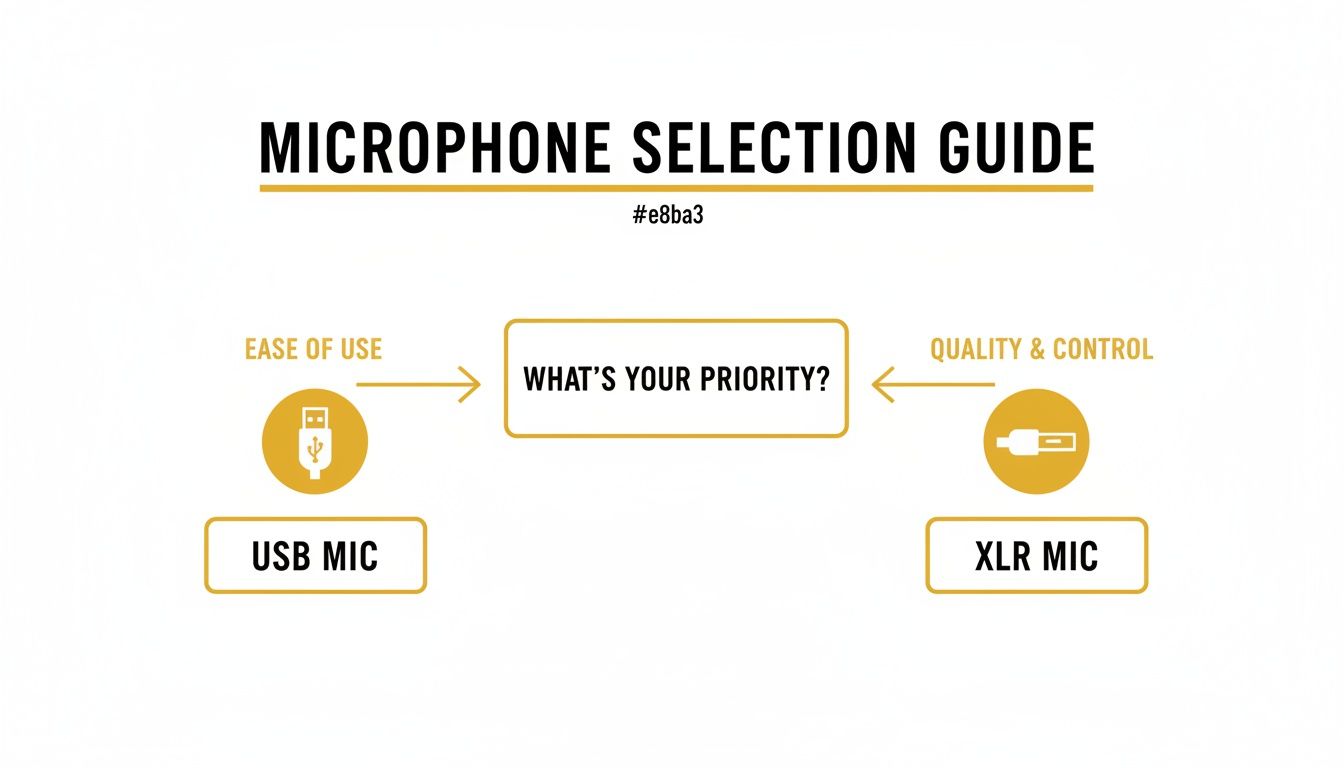
Your choice depends on whether you prioritize plug-and-play ease or long-term professional flexibility.
The Audio Interface: Your Digital Translator
For most podcasters, an audio interface is the ideal solution. It cleanly gets your mic's signal into your computer.
Interfaces contain preamps, which boost the microphone's signal to a usable recording level. Good preamps mean a clean recording; bad ones introduce noise. A simple two-input interface is perfect for solo shows or interviews with one guest.
Bottom Line: An audio interface is non-negotiable for an XLR microphone. It ensures your investment in a great mic results in great audio.
A top choice for beginners is the Focusrite Scarlett 2i2. It is reliable, user-friendly, and has clean preamps, making it perfect for solo creators and one-on-one interviews.
The Mixer: Your Studio Command Center
A mixer is a full command center. It also converts your audio but adds extensive hands-on control with physical faders and knobs. Mixers are ideal for managing multiple microphones and triggering sound effects or music live.
Choose a mixer if:
- You have three or more hosts in the same room.
- You want to produce a "live" show with real-time sound effects and music.
- You prefer tactile control over using a mouse.
For an all-in-one solution, the Rodecaster Pro II is the gold standard. It is a complete mixer, interface, and recorder designed for podcasters.
Staying current on the best equipment can be time-consuming. PodBrief uses AI to summarize top podcasts, giving you insights into the gear and strategies driving successful shows.
Headphones: Your Real-Time Quality Control
You cannot fix audio problems you cannot hear. A good pair of monitoring headphones is non-negotiable. They are your first line of defense against bad audio.
Standard music headphones are designed to make audio sound good by boosting bass and other frequencies. This "colored" sound hides problems like hums or pops. Monitoring headphones provide a flat, honest sound, revealing exactly what your microphone is capturing.
Closed-Back vs. Open-Back: A Critical Choice
For podcasters, the choice between headphone types is critical.
- Open-Back Headphones: These allow sound to escape. This is a disaster for recording, as the escaping sound will "bleed" into your microphone, creating echo and feedback.
- Closed-Back Headphones: These feature a sealed cup that isolates sound. They prevent audio from leaking out and block ambient room noise. For podcasting, closed-back headphones are essential.
Using a closed-back model ensures your microphone only records your voice. This is fundamental for a clean recording.
Why You Must Monitor While Recording
Poor audio quality can cause a 25% higher drop-off rate in the first five minutes. The podcasting hardware market is projected to reach $28.07 billion by 2034 because creators know listeners demand quality. You can review the full podcasting hardware market report for more data.
Bottom Line: Monitoring your audio live lets you catch mistakes as they happen. Fixing a buzz or distortion in real-time saves hours of work in post-production.
For reliable monitoring, consider industry standards like the Audio-Technica ATH-M50x or the Sony MDR-7506. They provide the accuracy and isolation you need.
To keep up with the gear and techniques top podcasters use, PodBrief offers AI-powered briefings on key industry trends. You can try PodBrief for free to get expert insights delivered directly to you.
The Little Things That Make a Big Difference
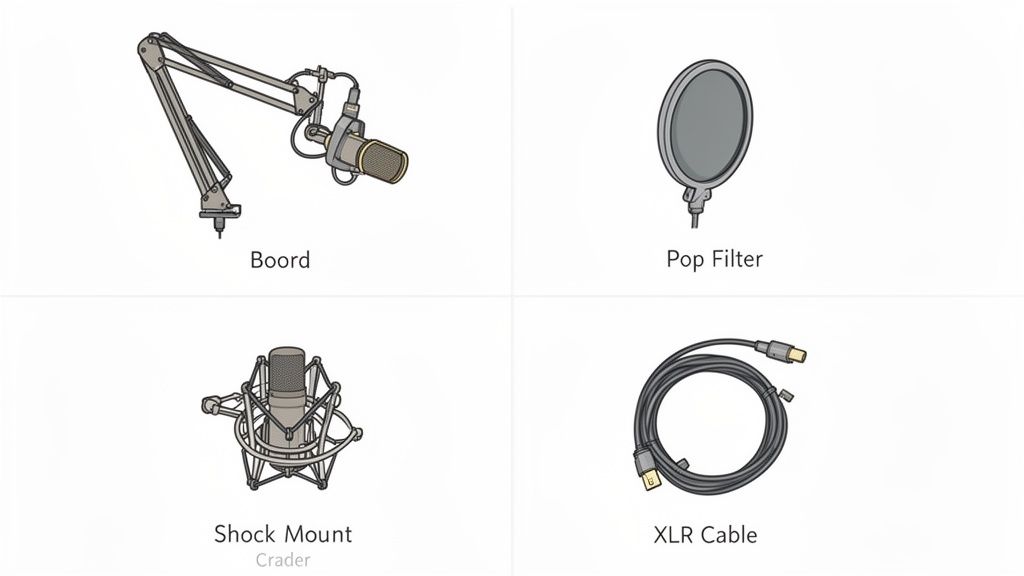 A few small accessories can close the gap between a decent recording and a professional one. These items solve the most common audio headaches before they start. They represent the final 10% of your setup that delivers 90% of the polish.
Get Your Mic Off The Desk with a Stand
Placing a microphone on your desk is a mistake. Every bump and vibration will travel into the mic, creating a low rumble in your audio.
A boom arm is the best solution for podcasters. It clamps to your desk and suspends the microphone in the perfect position, isolating it from desk noise. A boom arm like the Rode PSA1 is a significant upgrade over a simple desktop stand.
Tame Your Voice with Pop Filters and Shock Mounts
These two inexpensive items are essential for clean vocals.
- Pop Filters: This mesh screen sits in front of your mic to block "plosives"—the harsh popping sound from "p" and "b" words. It diffuses the burst of air before it hits the microphone.
- Shock Mounts: This cradle suspends your microphone with elastic bands, absorbing vibrations from bumps or movement. It acts like a car's suspension, smoothing out the ride for your mic.
Don’t Skimp on Cables
If you choose an XLR setup, use a quality cable. A cheap, poorly shielded XLR cable can pick up electrical interference, resulting in hums and static in your recording.
A well-built cable from a brand like Pig Hog or Mogami is a small investment that prevents major headaches.
Bottom Line: A boom arm, pop filter, shock mount, and a good cable are audio insurance. They are the cheapest and most effective ways to prevent common recording problems.
Keeping up with what gear the pros use is a job in itself. This is where PodBrief can save you time. It uses AI to summarize key takeaways from leading industry podcasts. You can get an AI-briefing on topics like this by trying PodBrief for free.
Choosing Your Podcasting Software
With your hardware selected, you need software to record, edit, and distribute your podcast. This includes a DAW, remote recording platform, and a hosting service.
Your Digital Audio Workstation (DAW) is your audio command center. This is the software you use to record, edit mistakes, add music, and polish your final audio.
Recording and Editing Software
You don't need to spend a lot to get started. Excellent free options are available.
- Audacity: A powerful, multi-track audio editor that is 100% free. It handles all fundamental recording and editing tasks.
- Descript: This tool transcribes your audio in real time. You edit the audio by simply editing the text document, which dramatically speeds up the editing process.
- Adobe Audition: An industry standard for professional audio production. It offers advanced tools for noise reduction, audio restoration, and precision mixing.
Explore the landscape of free podcasting software to find a workflow that suits you.
Remote Recording Platforms
Recording remote guests with tools like Zoom or Google Meet will degrade your audio quality. Use a dedicated remote recording platform instead.
Services like Riverside.fm or SquadCast are built for this purpose. They record each participant's audio locally on their own computer in full quality. After the call, the high-fidelity files are uploaded to you.
This is the secret to making remote interviews sound like they were recorded in the same room. You get a separate, crystal-clear audio track for each person.
Podcast Hosting Services
You cannot upload your MP3 file directly to Spotify or Apple Podcasts. Your episodes need to live on a podcast host.
A podcast host stores your audio files and generates an RSS feed. This feed is what you submit to directories like Apple Podcasts and Spotify. When you upload a new episode to a host like Buzzsprout or Libsyn, they distribute it everywhere and provide analytics on your listenership.
Staying on top of new software and trends is essential. PodBrief makes it easy to learn about new tools and techniques from top industry podcasts.
PodBrief gives you AI-generated summaries of any podcast, so you can absorb expert advice on software, equipment, and more in minutes. To get briefings on topics that matter to your show, try PodBrief for free.
Your Podcast Launch Gear Checklist
Here are three recommended setups based on your budget and goals.
The Starter Setup (Under $100)
This is the most direct path to a good recording without a large investment. It's a no-fuss setup perfect for beginners.
- Microphone: Samson Q2U (USB/XLR Dynamic)
- Headphones: Any wired headphones you already own.
- Accessories: The Q2U includes a basic windscreen and desktop stand.
The Prosumer Setup ($300-$500)
This is where you start to sound like a pro. Invest in this tier for broadcast-quality audio and greater control.
- Microphone: Shure MV7 (Hybrid USB/XLR Dynamic)
- Audio Interface: Focusrite Scarlett 2i2
- Headphones: Audio-Technica ATH-M50x (Closed-Back)
- Accessories: A boom arm, pop filter, and quality XLR cable are essential.
The Studio Setup ($1,000+)
For podcasters who want zero compromises. This professional-grade gear delivers pristine sound and ultimate flexibility.
- Microphone: Earthworks ETHOS (Condenser)
- Mixer/Interface: Rodecaster Pro II or Rodecaster Duo
- Headphones: Sony MDR-7506 (Closed-Back)
- Accessories: A high-quality boom arm, premium XLR cables, and basic acoustic treatment.
Remember, buying isn't your only option. You can explore equipment rental options to test high-end gear before committing.
As you grow, look for ways to make your workflow more efficient. Our blog often covers topics like the best AI tools for podcasters to help you work smarter.
The key takeaway is simple: invest in a solid audio foundation from day one. A reliable microphone and proper monitoring will solve 90% of your potential audio issues before they happen. Your listeners will thank you.
Staying ahead in podcasting requires continuous learning. PodBrief delivers AI-powered briefings on topics like the best podcasting equipment, sourced directly from leading industry podcasts. It's the smartest way to level up your knowledge. Try PodBrief for free today.